Setup in seconds
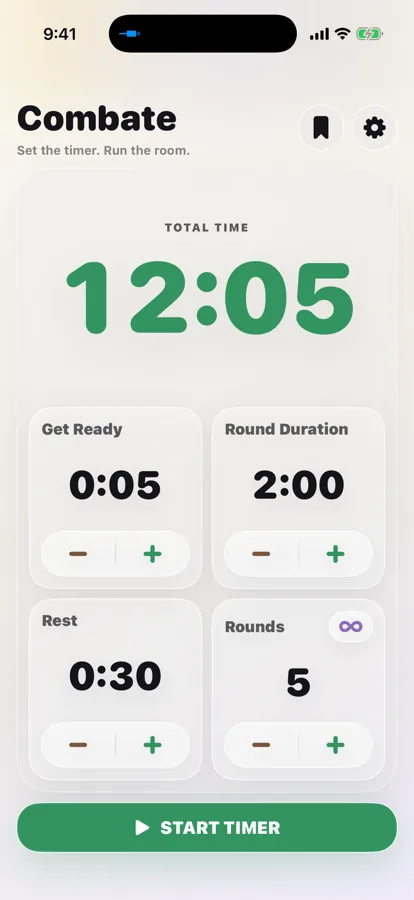
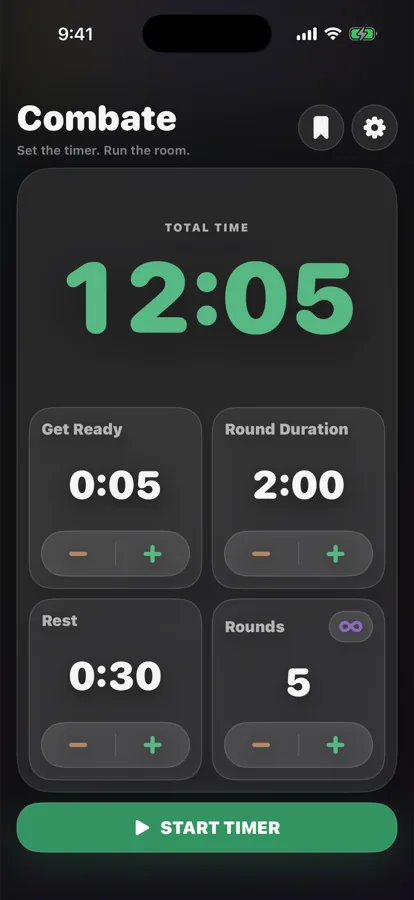
Work, rest, rounds, and a Get Ready countdown. Adjust them on one screen and hit start — no menus to dig through.
Built for the mat
A round timer the whole room can read. Set work, rest, and rounds in seconds — then put the clock on the gym TV and keep the controls in your hand.
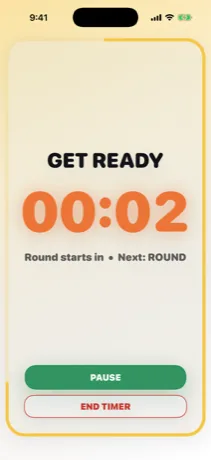
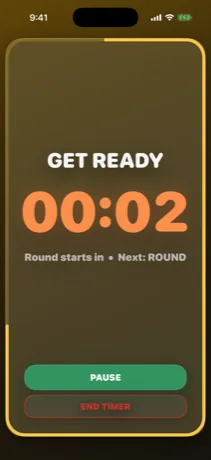
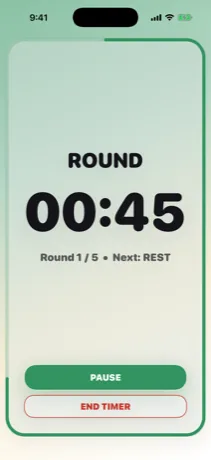
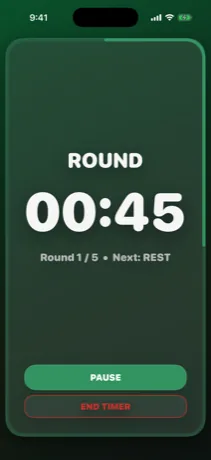
Room-readable by design
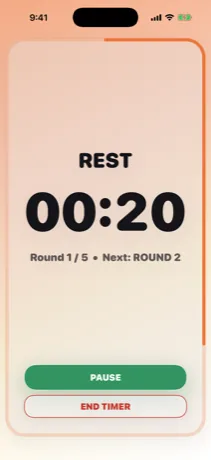
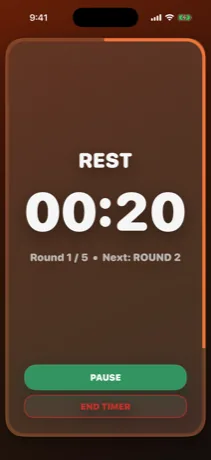
Every phase owns a colour and fills the screen with it. Athletes glance up and know where they are without being told, and you stop narrating the clock.
External display · Combate Pro
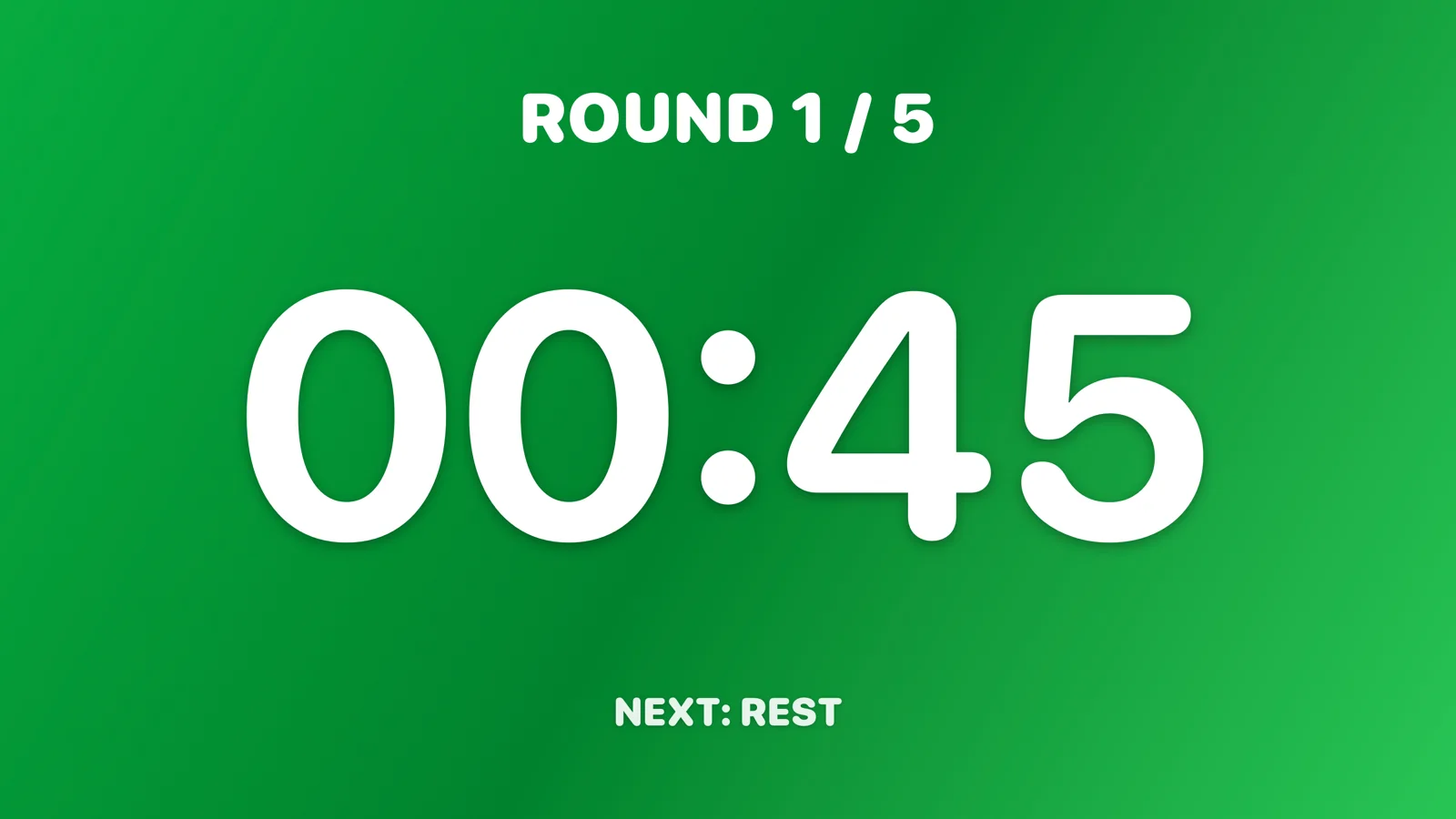
Plug in over HDMI or send it by AirPlay and Combate draws a screen built for the room — not a mirror of your phone. Oversized digits in the phase colour, the round count, and what comes next. Your controls, your notifications, and everything else stay private in your hand.
The rest of the timer
All of this is in the free app.
Work, rest, rounds, and a Get Ready countdown. Adjust them on one screen and hit start — no menus to dig through.
Combate works from wall-clock deadlines rather than counting ticks, so a session never drifts. Phase alerts reach you with the phone locked and in your pocket.
Give Get Ready, work, rest, and the final bell their own cue, with optional vibration. Or run the room silent.
Programme six rounds, or let them roll until you call it.
The phone stays lit for the whole session instead of locking mid-round.
Total, working, and resting time for every session you finish, kept on the phone.
Presets
Most gyms run the same three or four formats forever. Save yours and load one in a tap — applying a preset drops you back on Home so you can check it before anything starts.
Combate Pro
Everything above stays free, with no ads and no account. Pro is for the coach running a class rather than timing their own training.
The room-facing screen, with your gym name on it.
Find and switch the room screen without leaving the app.
The playlist drops by itself when the session ends.
Type 4:37 instead of tapping plus until you reach it.
Built-in formats, and as many of your own as you like.
Restore Pro on any iPhone on the same Apple Account.
No commitment.
Works out to $2.08 a month.
One payment. No renewals, ever.
Prices in Canadian dollars; the App Store sets your local price. Subscriptions renew until cancelled and can be managed in your Apple Account settings. See the Terms of Use for full details.
No account, no sign-up
There is no account to create, because there is nothing to sync. Your timer lives on your device and stays there.
No email, no password, no profile. Install it and start a round.
Settings, presets, sound choices, and session history. Delete the app and they go with it.
Limited anonymous usage data tells us what breaks. It is never tied to you.
Before you ask
Coaches and gym owners running martial arts, boxing, or conditioning classes — and athletes timing their own rounds. If a room needs to see the clock, it was built for you.
The timer is free and stays free: rounds, work and rest, Get Ready, per-phase sounds, vibration, background alerts, Keep Screen Awake, session history, and three saved presets. Pro adds the external display, AirPlay tools, Auto-Pause Music, exact time entry, built-in preset formats, and unlimited presets.
$2.99 a month, $24.99 a year, or $39.99 once for lifetime access, in Canadian dollars — the App Store sets the equivalent in your region. Subscriptions renew until you cancel; lifetime never renews.
Yes. Combate counts to wall-clock deadlines rather than ticking, so it cannot drift, and it schedules phase alerts through iOS so they reach you with the app closed. Pausing or ending a session clears them.
Open Combate Pro in Settings and choose Restore Purchases. Pro is tied to your Apple Account, so it comes back on any iPhone signed in to it.
Ready when the room is
Free to use, no account, nothing to set up.